 Circat L420
Circat L420
Circat L420
Each pad is not fixed to one job — you decide what it triggers per project.
A pad is not tied to one file or one role — each one chooses its own engine. Two engines are live today, two more are on the road. sample player analog synth drum synth · planned loop player · planned
A sample player pad triggers a one-shot or a padded loop with per-voice pitch, filter and envelope — and you can record straight into a track slot mid-set. The sample is playable the instant recording stops: no file dialog, no reload, no menu. On a groovebox, recording must be a playing action, not a household chore.
A synth pad runs the built-in analog engine — two shared parts across the 16 pads (even pads → part A, odd pads → part B), four voices in total. Sharing keeps CPU reliably bounded and the layout readable. The ENGINE editor shapes both parts: waveforms, mix, detune, drive, filter and ADSR. Switch a pad back to sample mode and its active synth voices stop cleanly — no tail leaking across modes.
On-the-fly sampling locks in with the same quantized snap as the looper, so an impromptu shot keeps the grid. Level and overdrive are visible while recording, and the peak value stays readable afterwards for a quick sanity check.
The ultra-close look at the buttons is no accident — every control reaches the audio thread in the same frame.
The step sequencer is the timing backbone: 16 tracks driving sampler voices and the looper, up to 64 steps per pattern with swing, ratcheting and programmable time signatures. Step buttons double as live note entry, so a pattern can be punched in bar by bar instead of being built in an editor.
Automation lives here too: motion recording and per-step parameter locks across every automatable parameter. Twist a knob while a step is held and that movement is written into the pattern — tight and sample-accurate, applied at the exact sample offset. per-step locks motion
The sequencer and the realtime looper share one clock and one grid. Multiply, Divide, Speed and Reverse run without a dropout — a 64-sample crossfade on direction changes, so nothing clicks on stage. What you race here is what you play live.
A real-time loop stack running beside the sequencer on one clock and one grid — record, stack, mangle, never stop.
Start, end and quantized snap lock to the master clock. Loops and patterns share one grid, so a looped phrase never drifts off the sequence.
The classic three-state flow, mapped to footswitch or MIDI. Keep the take playing and stack the next pass on top — the overdub prints in time.
Slice a loop's length in stages — half, quarter, double — without stopping playback. The grid stays intact while the phrase changes shape.
Normal, half and double speed plus Reverse, all with a 64-sample crossfade inside the audio callback. Changing direction never clicks.
Dial how much of the previous pass bleeds into the next. From a clean snap-cut loop to a self-growing texture that keeps evolving.
Loops can live on pads and crossfade with the recorded stack — layer a phrase onto a running loop without losing either signal.
Current running application, not renders. Tap any shot to open it in full.
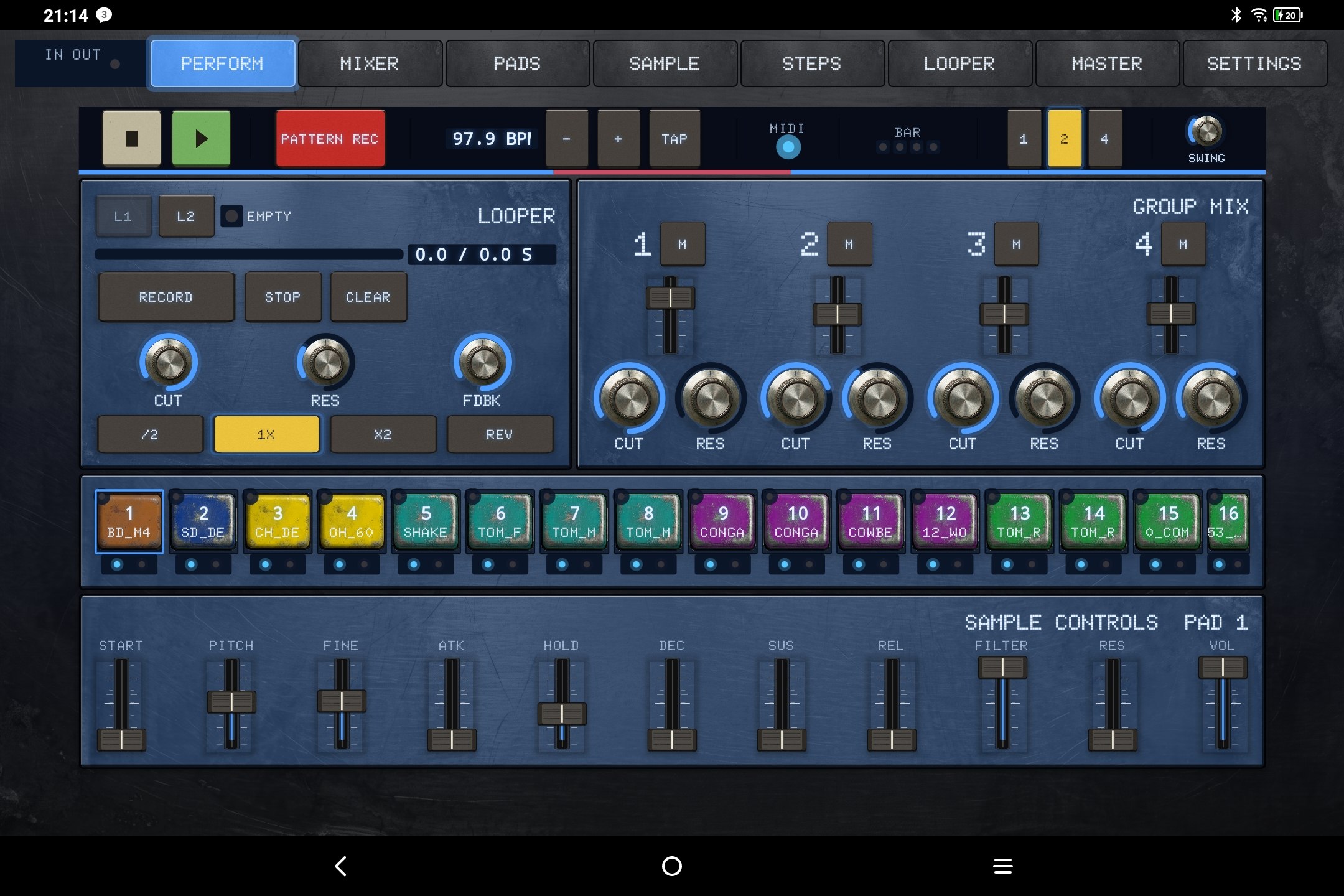
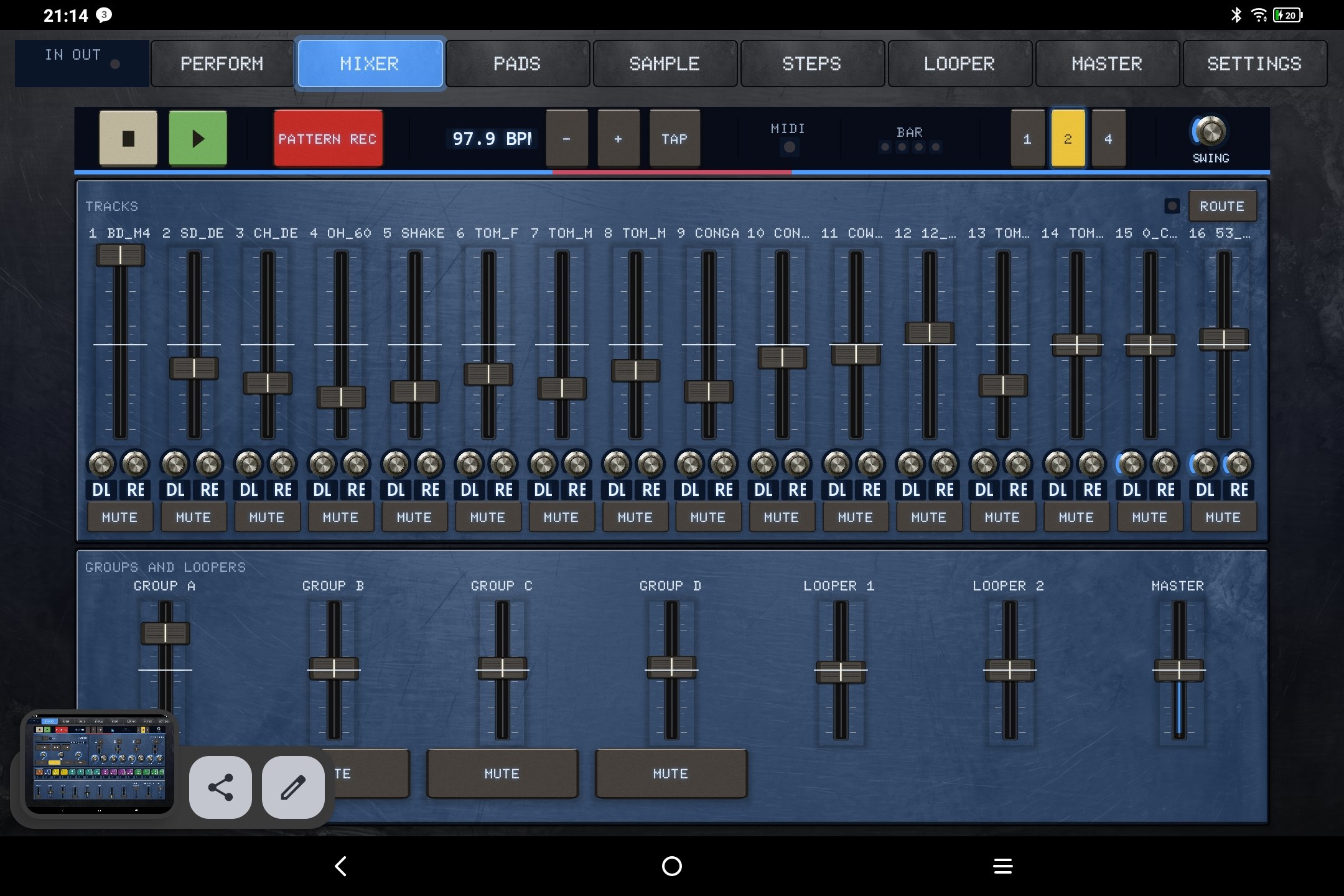
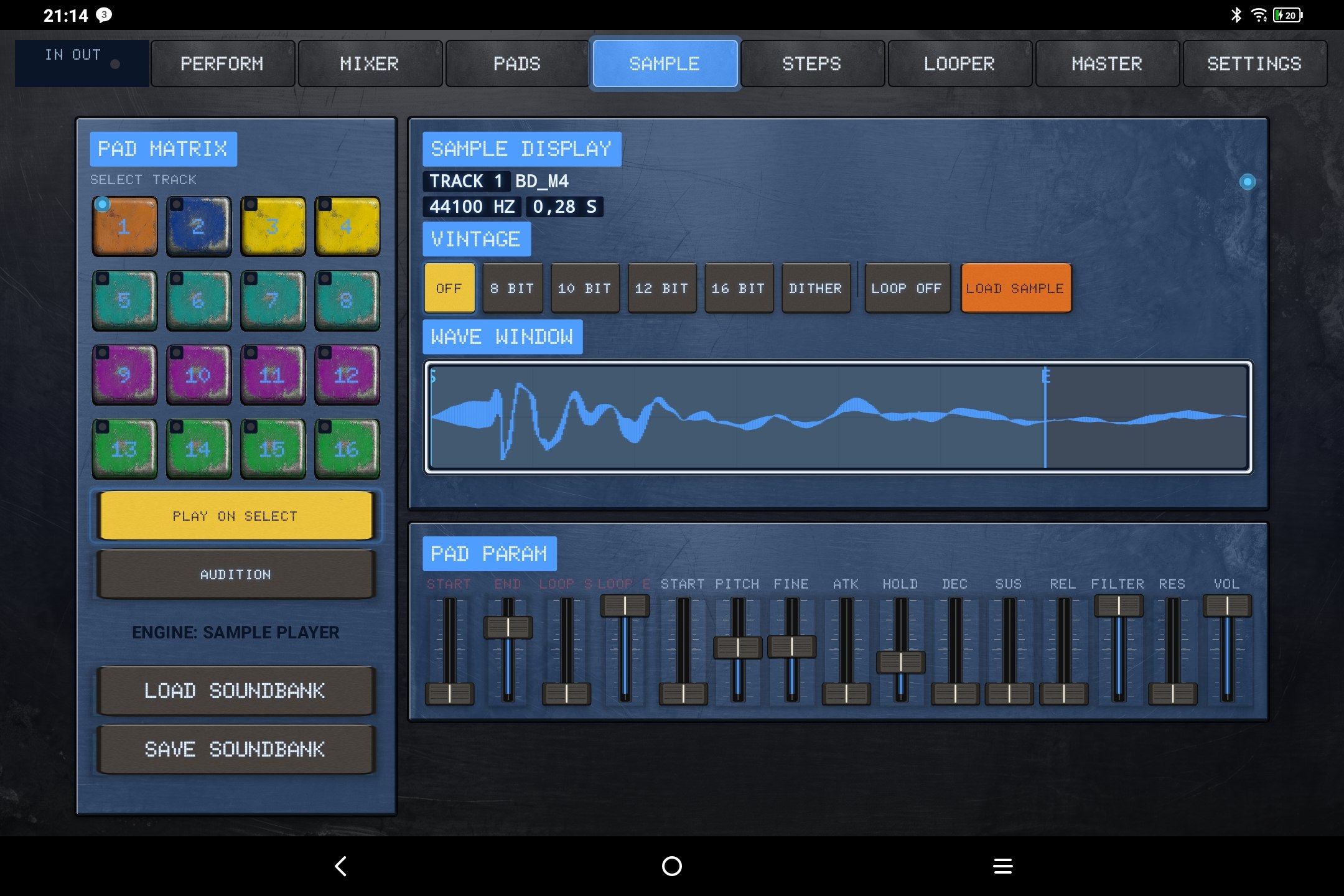
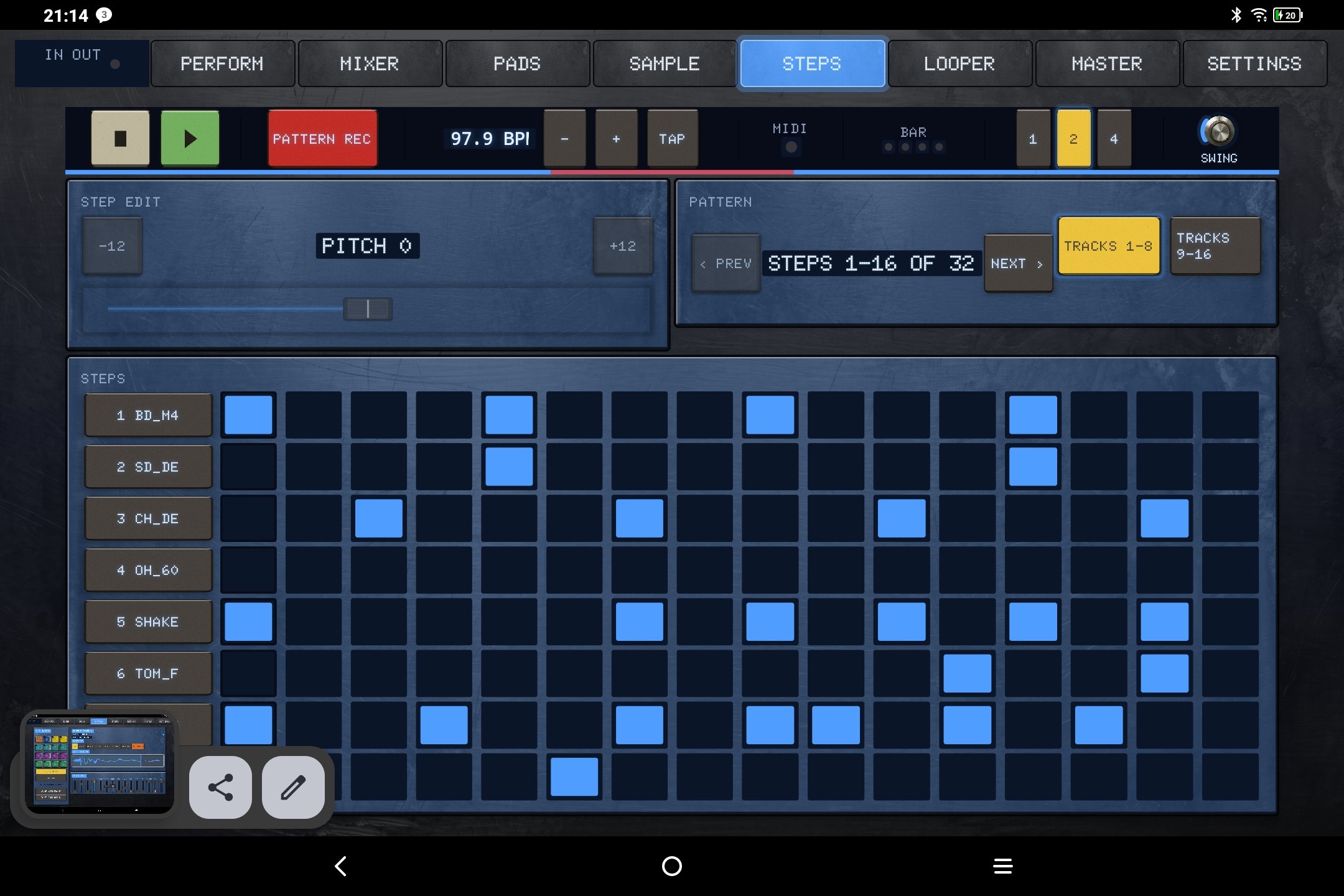
MIDI Learn is not a feature, it's a core subsystem. A 30-minute live set can be played end to end via controller — without a single screen touch.
Every automatable parameter has a stable, versioned ParamId. Renaming a parameter breaks no mapping — a migration table instead of re-learning.
MIDI events are applied inside the audio callback at the exact sample offset, not per block. Timing deviation < 1 sample — percussion stays tight.
Sign-Magnitude, Two's Complement, Offset-Binary — auto-detected, always manually overridable. No parameter jump on the first turn.
After a pattern or preset change the knob sits elsewhere. The parameter only moves once the knob crosses the value. Otherwise a live set is unusable.
UI changes update the controller within 30 ms — LED rings, motorized faders. What the screen shows, the device shows.
All voices off, controller reset — one command, reachable via mapping. For the moment everything goes on stage at once.
All contrast values in this design are measured, not estimated — WCAG 2.1. Red is exclusively for recording. Nothing depends on color alone.
| Area | Property | Value |
|---|---|---|
| Audio | DSP / internal rate | 32-bit float · 48 kHz |
| Audio | Latency (reference, MMAP/Exclusive) | ≤ 20 ms round-trip |
| Audio | Dropouts — 4 h constant load, 80 % CPU | 0 · stress test daily |
| Audio | Supported rates | 44.1 / 48 / 96 kHz |
| Sampler | Tracks / drum pads | 16 · 16 |
| Sampler | Step sequencer | 16 tracks · up to 64 steps · swing · time signature · pitch per step |
| Synth | ENGINE editor per part | waveforms · mix · detune · drive · filter · ADSR |
| Synth | Shared analog parts / voices | 2 parts (even/odd pads) · 4 voices total |
| Mixer | Channels + master | 16 + 1 |
| Mixer | Group filter · delay/reverb AUX | per performance group |
| Mixer | Insert slots / channel · EQ | 2 · 3-band parametric |
| Effects | Types in v1.0 | 12 (filter, drive, delay, reverb, chorus …) |
| Looper | Instances · max loop length | 2 · 30 s |
| Looper | Functions | Rec → Overdub → Play · Multiply/Divide · Speed · Reverse · Feedback |
| MIDI | Sources | USB Host + Peripheral · BLE MIDI |
| MIDI | Message types | CC + 14-bit · Note · Pitchbend · NRPN · Aftertouch |
| Automation | Motion recording · per-step locks | all parameters |
| Export | WAV · offline bounce | 16/24/32-bit · master + track-by-track |
| USB audio | Class-compliant interfaces (v1.0) | stereo I/O |
| Persistence | Auto-save · crash recovery | yes · journal + sidecar |
| Platform | minSdk / targetSdk | 29 (Android 10) / 36 |
A complete live set — MIDI controller only, no screen touches.
A pad chooses its engine — Sample Player or Analog Synth. Switching the synth back to a sample terminates that pad's active synth voices cleanly. No allocations, no locks, no file I/O, no logging and no dynamic graph changes on the audio thread.
A stage-ready audio core is not built in weeks — the difference between "makes sounds" and "holds 4 hours without a single dropout" is most of the work.
Opportunities deliberately pushed back, instead of silently becoming a scope problem.
Circat L420 is an independent development. If the demo hits, a coffee keeps the engine running and the roadmap on track.